

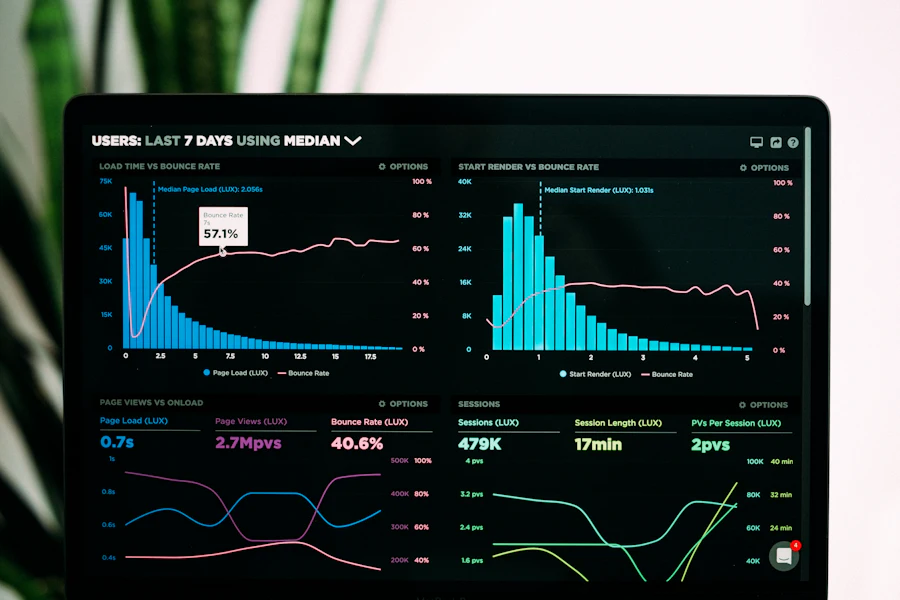
Performance Max is a Google campaign type that lets you advertise across all Google channels with a single campaign: Search, YouTube, Display, Discover, Gmail and Maps. Google uses automation to decide where your ad appears and who sees it. This often works well, but for a long time you could not see exactly what was happening. That is why many advertisers called Performance Max a black box.
That box is opening up more and more. Google is adding more reporting and controls, such as insights by channel, search terms and exclusions. In this article you will read what that means for you and how to put it to use in practice. A word of caution: not every feature is available in every account at the same time. Google rolls many things out step by step.
What has changed about that black box
In the past, Performance Max mainly gave you totals. You could see costs, conversions and revenue, but not where they came from. You had to trust the system.
Now you get more detail. You can see more clearly how different channels perform. You get more insight into the search terms your ads appear for. And you have more options for excluding things.
This changes the role of the advertiser. You steer less through individual settings and more through the quality of what you supply and the limits you set. Performance Max remains automated, but you stay in control.
See where the money goes
Start with the basic question: where is your budget going? Look at how much goes to Search, YouTube, Display and Shopping. Also check which channels actually deliver conversions.
Surprises are more the rule than the exception. It is common for a large share of the budget to go to a channel that delivers little. It is also common for a channel you did not expect to work well.
When you look at the figures, ask yourself these questions:
- Which channel receives the most budget, and does that fit your goal?
- Which channel delivers the most conversions, and at what cost?
- Are there channels that cost a lot but deliver little?
- Do the results come from new customers or from people who already know your brand?
Be careful with conclusions. A channel such as YouTube or Display sometimes helps with the first introduction, while another channel gets the last click. So do not look only at conversions per channel, but also at the overall picture and your own data in, for example, Google Analytics.
Exclude what does not fit
More insight is only useful if you act on it. Exclusions are the first tool. They let you specify where your ads must not appear.
Brand exclusions are for when your own brand already has a separate search campaign. Without an exclusion, Performance Max can piggyback on searches for your own company name. Those people already knew you. The result looks good, but you win few new customers.
Excluding search terms is for searches that will never become customers. Think of people looking for a job, wanting free manuals or searching for a product you do not sell. This keeps your budget clean.
You can also exclude placements, such as websites or apps where you would rather not appear. You do this at account level. What exactly you can set up depends on what Google has made available in your account.
A rule of thumb: do not exclude too much too quickly. Performance Max needs room to learn. Start with the clear cases and then look at the effect.
Improve the input
More insight mainly means better choices in product groups, goals and creative. That is where the biggest gains are. Performance Max is only as good as the input you give it.
These are the most important elements:
- Product groups and asset groups: an asset group is a set of texts, images and videos for one theme. Split them along logical lines, for example by product category or margin. This gives you better control.
- Goals: choose a goal that fits your business. Do you want revenue, leads or new customers? Set your conversion goals and values accordingly.
- Creative: supply strong images, short videos and clear texts. If you do not provide a video, Google will sometimes create one itself. That is rarely the best choice.
- Product feed: for an online shop, the feed is the foundation. A feed is the file containing all your product data. Good titles and descriptions make a big difference.
- Signals: with audience signals you give Google a direction. Think of lists of existing customers. They are suggestions, not hard limits.
The insight by channel helps you here. Do you see that videos barely contribute? Then there is a good chance your creative can be improved. Do you see one product group swallowing the budget? Then it pays to split that group up.
How to approach it in practice
Suppose an online sports equipment shop runs a Performance Max campaign and a separate search campaign on its own brand name. The return from Performance Max looks strong. Even so, the number of new customers is barely growing.
When reviewing the reports, it turns out that a sizeable share of the conversions comes from searches on the brand name. The campaign is mainly capturing customers who already knew who the shop was. The owner excludes the brand and adds a few irrelevant search terms to the exclusions. He also divides the products into asset groups by category and supplies better images.
On paper, the return from Performance Max may look lower afterwards. But the result is more honest. The campaign is now genuinely working to win new customers, and the budget goes where it adds value.
Want to do this yourself? Then follow these steps:
- Review the distribution of budget and conversions by channel.
- Check the search terms and look for unusual or irrelevant ones.
- Set up brand exclusions if your own brand already has a separate campaign.
- Exclude search terms and placements that clearly do not fit.
- Improve the assets and split asset groups where it makes sense.
- Wait a few weeks and assess the effect before adjusting again.
That last point is important. If you tweak settings every day, the system gets no chance to learn. Give changes time.
Frequently asked questions
Is Performance Max now fully transparent?
No. You get more visibility than before, but not everything can be seen. Use the insights as a guide and always compare them with your own data.
Should I always exclude my brand in Performance Max?
Not always. It is mainly sensible if you already have a separate search campaign on your brand name. If you do not, Performance Max can also capture your brand traffic. It depends on your goal and your setup.
How long should I wait before making adjustments?
As a rule of thumb, a few weeks is sensible, especially after larger changes. With few conversions, it can take longer. Small adjustments, such as a clear exclusion, can be made sooner.
Book a free 30-minute introductory call
Do you want to know where the budget of your Performance Max campaign is really going? And what you can improve? Then book a free 30-minute introductory call with Adventio Marketing in Amersfoort.
Together we will look at your current setup, discuss your goals and give you honest advice on the next steps. No obligations and no confusing jargon.


